
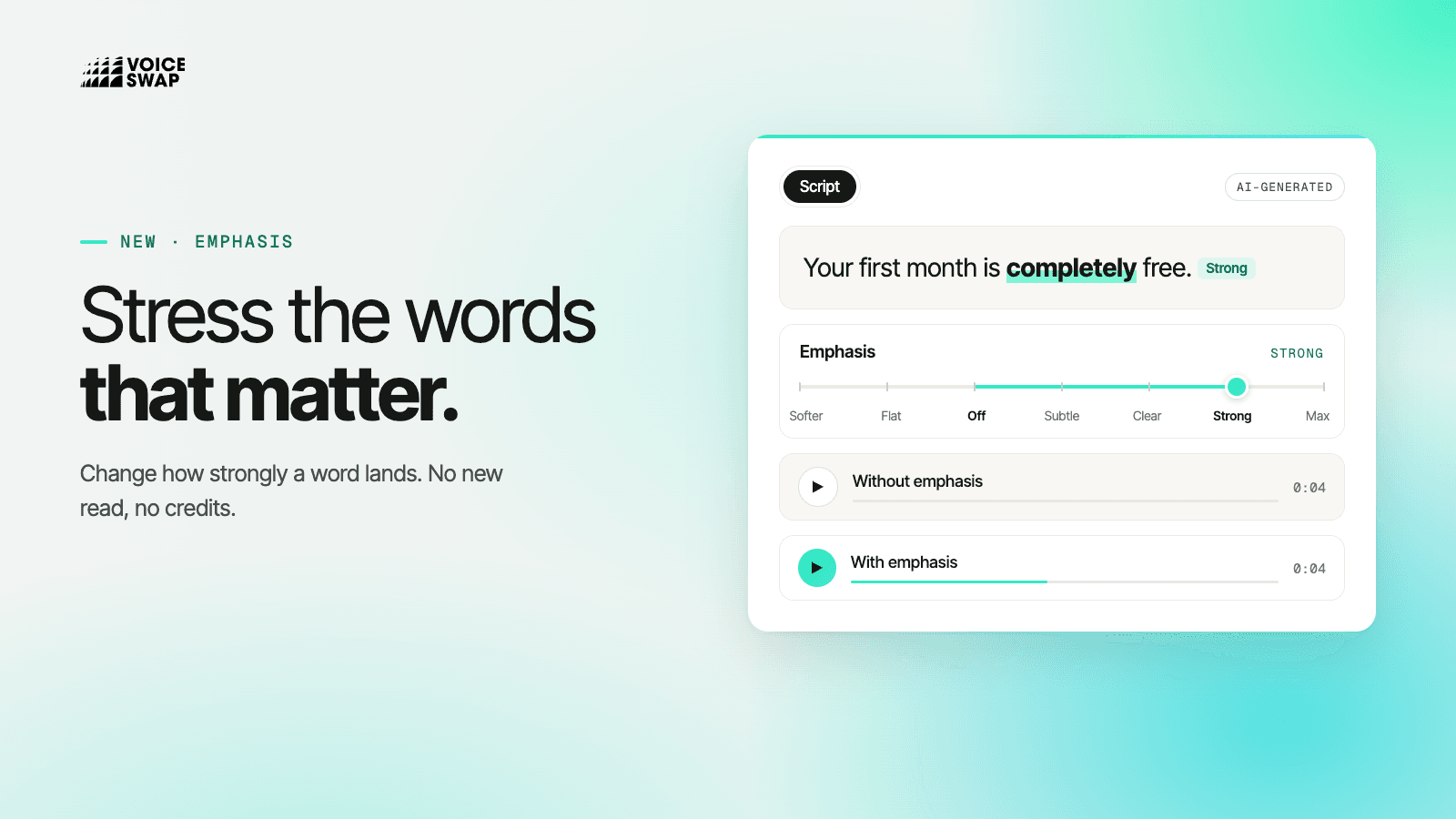
Voiceover Studio 2.0 now lets you change how strongly any word or phrase is stressed, without a new read and without using credits. Select a word, choose Emphasis from the right-click menu, and drag a slider until the line lands the way you want to hear it.
It's the most common note in any voiceover session: "Lean on that word." Getting it used to mean generating new takes and hoping one of them landed it. With Emphasis, you make the call yourself, on just the word that needs it, and the rest of the performance stays exactly as it was.
How it works
Select the word you want to stress.
Right-click and choose Emphasis.
Drag the slider. Let go, and the change is made.
The slider has seven settings. To the right of Off are Subtle, Clear, Strong and Max, for when a word needs to land. To the left are Softer and Flat, for when a read is pushing too hard and a word needs to sit back.
Built for directing, not guessing
Compare as you go. Use A · without and B · with to hear the line both ways before you commit.
The rest of the read is untouched. Only the words you selected change. The timing, tone and delivery around them stay as they were.
No credits. Emphasis works on the audio you've already generated, so you can try every setting for free.
Easy to find and undo. A faint bump on the waveform shows where emphasis is applied; click it to change it. Undo takes it back.
Emphasis sits alongside phrase-level re-reads, speed changes, pauses and sounds, and much more, so you can direct a voice the way you'd direct a voice actor: line by line, word by word, until it's right. Try Emphasis in Voiceover Studio 2.0 now – every new user gets 1,000 characters for free.