
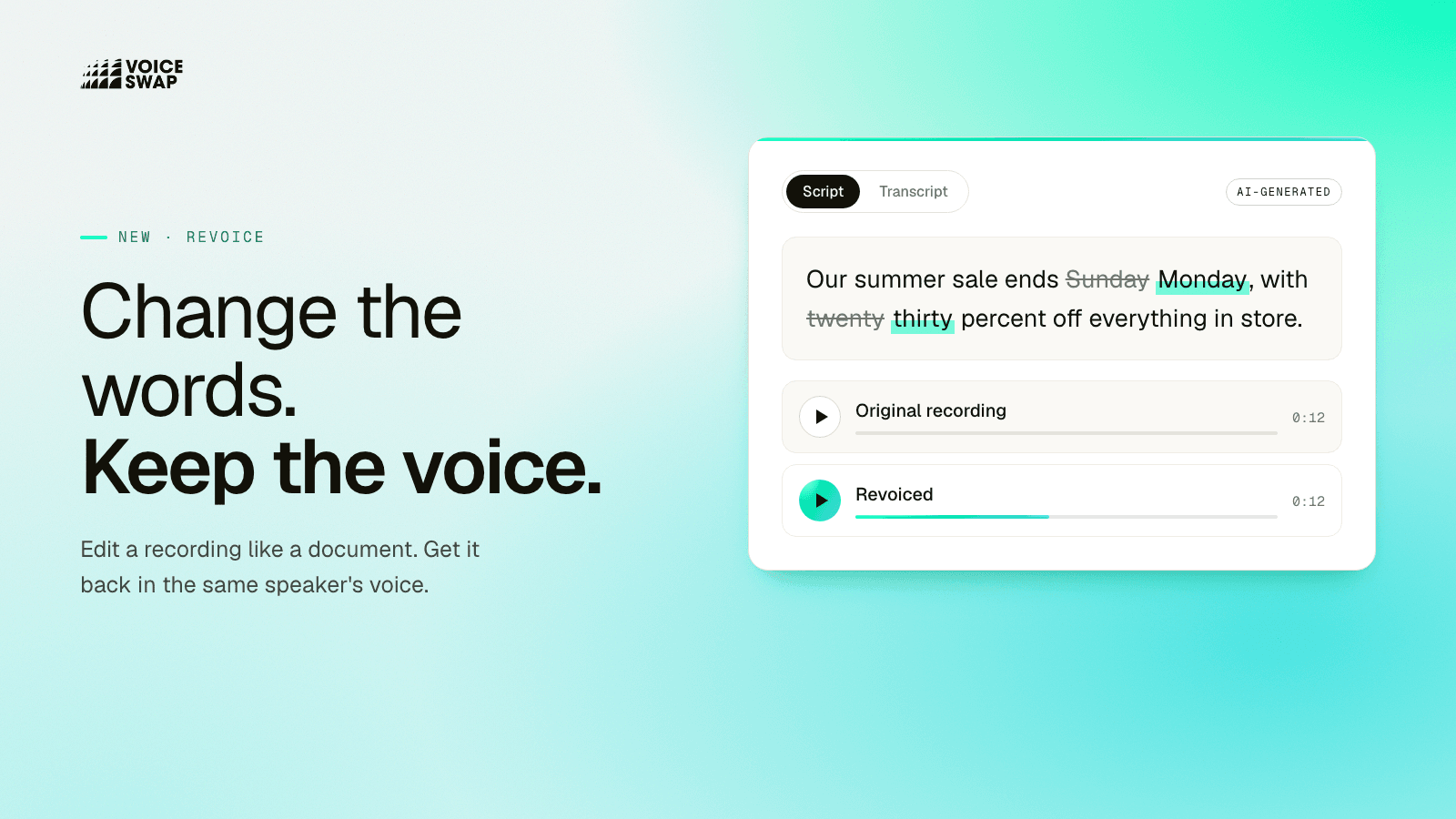
Voice-Swap today launched Revoice, a new tool that changes the words in a recording you already have, in the original speaker's voice. Upload an audio recording, edit the script like a document, and Revoice gives you a new version that says exactly what you wrote. It's available now from the dashboard on the Advanced plan and above. Click here to try it now.
How it works

Upload an audio recording of up to 90 seconds. Revoice writes out what was said and learns the speaker's voice from it.
Edit the Script tab: type over a word, add one or remove one. Everything you change is highlighted.
Generate and listen. Not quite right? Change the script and generate again.
What you can use it for
Revoice is built for the changes that turn up after a recording is finished:
Adverts that change after approval. The price, the date or the offer moves, and the voiceover has to move with it.
One advert, many versions. Different prices, city names or product names from the same recording, made in one go with batch mode.
Names said wrong. A guest, a brand or a place in a podcast or interview, put right.
Client edits. A line the client wants worded differently, without booking another session.
Updates to evergreen content. Training videos, explainers and on-hold messages kept current.
Until now, every one of these meant a pickup session: getting the speaker back, matching the mic and the room, and hoping the new line sat next to the old ones. With Revoice, it's an edit.
Batch mode: one recording, many versions
Some jobs need many versions of the same recording: a different town for each region, a different price for each market, or a customer's name in every welcome message. With Batch Mode, you upload a spreadsheet with one row per version and match its columns to the words they replace, and Revoice makes every version in the same voice for you to download together. Try one row first, and once it sounds right, download the whole collection.
Pricing
Revoice is charged by character, the same way as Voiceover Studio. Learning the speaker's voice uses one of your Instant Voice Clone slots, so Revoice needs the Advanced plan or above.
Try Revoice on your own recording. Every new user gets 1,000 characters for free.